Quickstart

▶️ It only takes about 5 minutes to get up and running with ArchiveBox.
ArchiveBox officially supports macOS and Ubuntu on amd64 or arm64, plus Docker on Linux and macOS. Other operating systems are not tested for this release.
For more detailed Docker and Docker Compose-specific instructions, see the [[Docker]] page.
1. Set up ArchiveBox
Follow the README Instructions for your platform to get archivebox set up.
2. Get your list of URLs to archive
Follow the links here to find instructions for exporting a list of URLs from each service.
Chrome History:
bash ./bin/export_browser_history.sh --chromeFirefox History:
bash ./bin/export_browser_history.sh --firefoxSafari History:
bash ./bin/export_browser_history.sh --safariOther File or URL: (e.g. RSS feed url, text file path) pass as second argument in the next step
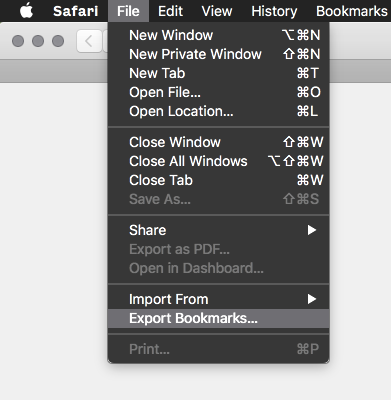
(If any of these links are broken, please submit an issue and I’ll fix it)
3. Add your URLs to the archive
Pass in URLs directly, import a list of links from a file, or import from a feed URL. All via stdin:
archivebox add < your_urls.txt

# or if using plain Docker
docker run -v $PWD:/data -i archivebox/archivebox:dev add < your_urls.txt

# or if using Docker Compose
docker compose run --rm -T archivebox add < your_urls.txt

# any text containing URLs can ingested via stdin or as args
curl -fsSL 'https://getpocket.com/users/YOURUSERNAME/feed/all' | archivebox add
archivebox add 'https://example.com'
✅ Done!
Open ./archive to view your archive data in the filesystem.
You can also use the interactive Web UI to view/manage/add links to your archive:
# with plain Docker:
docker run -v $PWD:/data -it -p 8000:8000 archivebox/archivebox:dev

# with Docker Compose:
docker compose up -d

# or without Docker:
archivebox server

# Open /admin/ on the hostname or IP used to reach ArchiveBox.
# Local example: http://admin.archivebox.localhost:8000/admin/
# If BASE_URL is not configured yet, continue through the web setup wizard.
Next Steps:
archivebox help # see info about all the available commands
Read [[Usage]] to learn about the various CLI and web UI functions
Read [[Configuration]] to learn about the various archive method options
Read [[Scheduled Archiving]] to learn how to set up automatic daily archiving
Read [[Publishing Your Archive]] if you want to host your archive for others to access online
Read [[Troubleshooting]] if you encounter any problems