Archive pages when they change
Automatically save new versions of pages when they change. Start with a running ArchiveBox server and changedetection.io.
1. Create an ArchiveBox API key
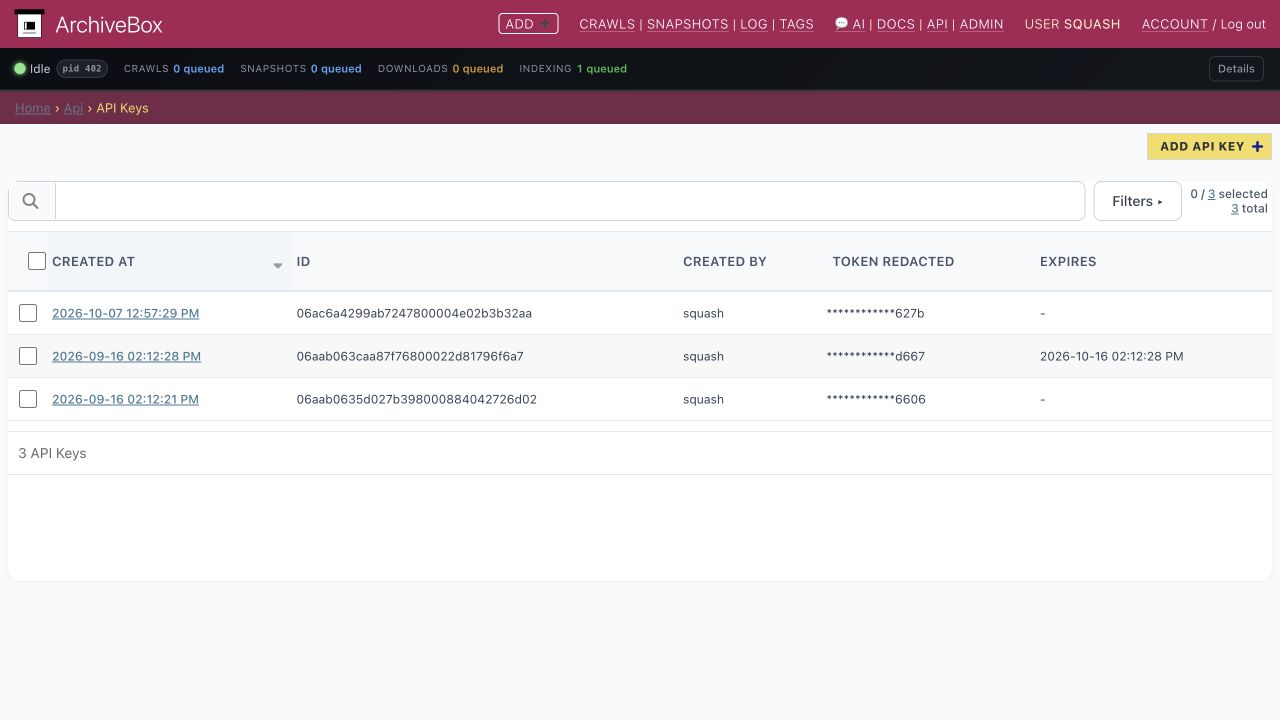
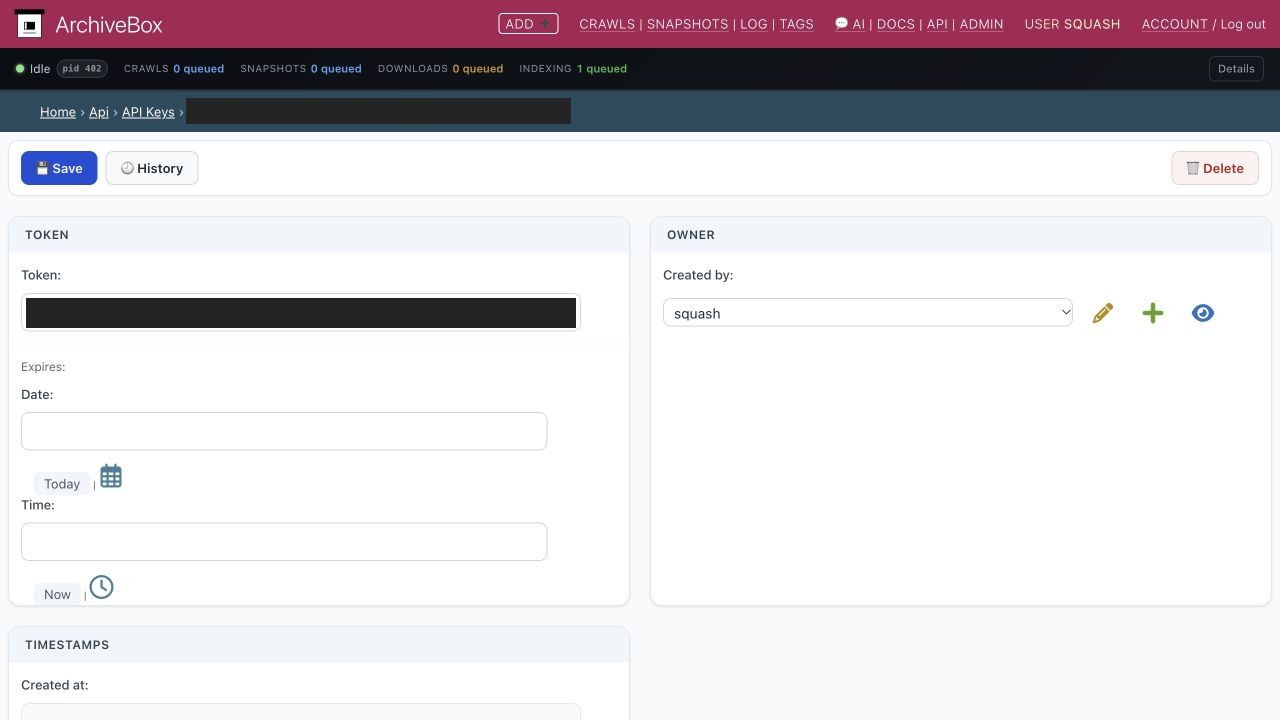
Open Admin → API Keys → Add API Key in ArchiveBox. Choose a superuser under Created by, save, and copy the token. Keep it private.
2. Allow LAN connections
If ArchiveBox uses a private LAN address, add this environment variable to changedetection.io:
ALLOW_IANA_RESTRICTED_ADDRESSES=true
Add it through your container manager’s environment settings and recreate the container. With Docker Compose, add ALLOW_IANA_RESTRICTED_ADDRESSES: "true" under environment, then run docker compose up -d.
3. Create an archiving group
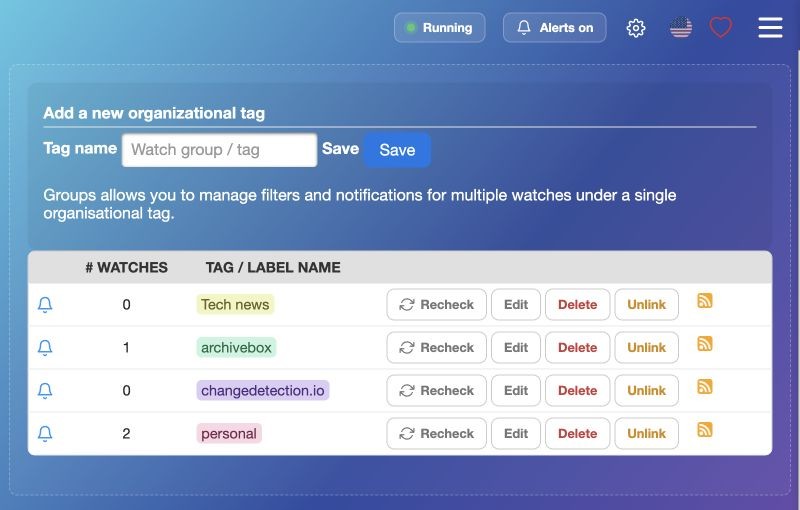
In changedetection.io, open Watch Groups, create archivebox, then click Edit.
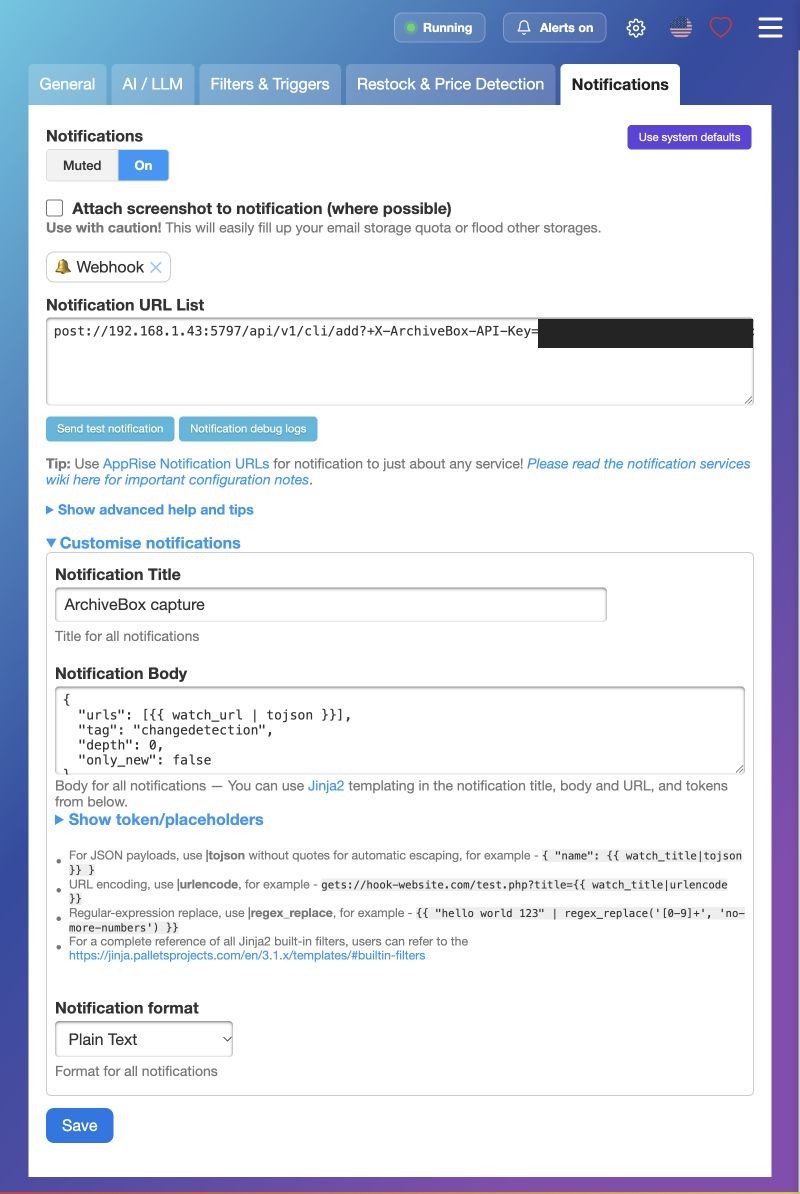
Under Notifications, turn notifications On and set Notification URL List:
json://192.168.1.43:5797/api/v1/cli/add?+X-ArchiveBox-API-Key=YOUR_API_KEY
Replace the host, port, and YOUR_API_KEY with yours. Use an address reachable from the container, not localhost. For HTTPS, use jsons://.
Current ArchiveBox development builds accept Apprise’s JSON envelope: its message must contain the add-request JSON below. This keeps only_new, tags, and persona settings intact. ArchiveBox 0.9.73 requires raw post:// / posts:// instead; it does not understand the JSON envelope. If custom headers disappear on that path, use the shared Docker network below or upgrade to a build with JSON-envelope support. HTTP 422 indicates a rejected body; HTTP 401 indicates missing or invalid ArchiveBox credentials.
Under Customise notifications, set Title to ArchiveBox capture, format to Plain Text, and Body to:
{
  "urls": [{{ watch_url | tojson }}],
  "tag": "changedetection",
  "depth": 0,
  "only_new": false
}
Click Save.
4. Choose the pages to archive
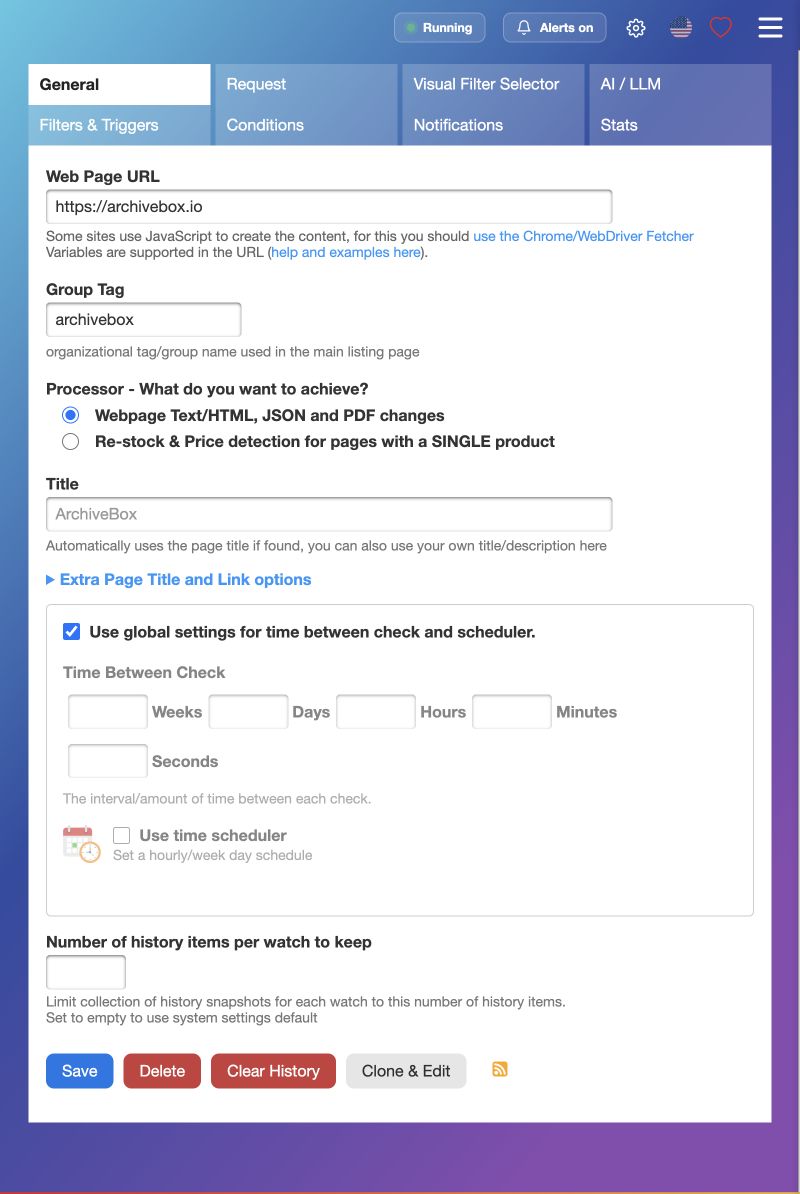
Edit a watch. Under General → Group Tag, add archivebox, keeping any existing tags.
Under the watch’s Notifications tab:
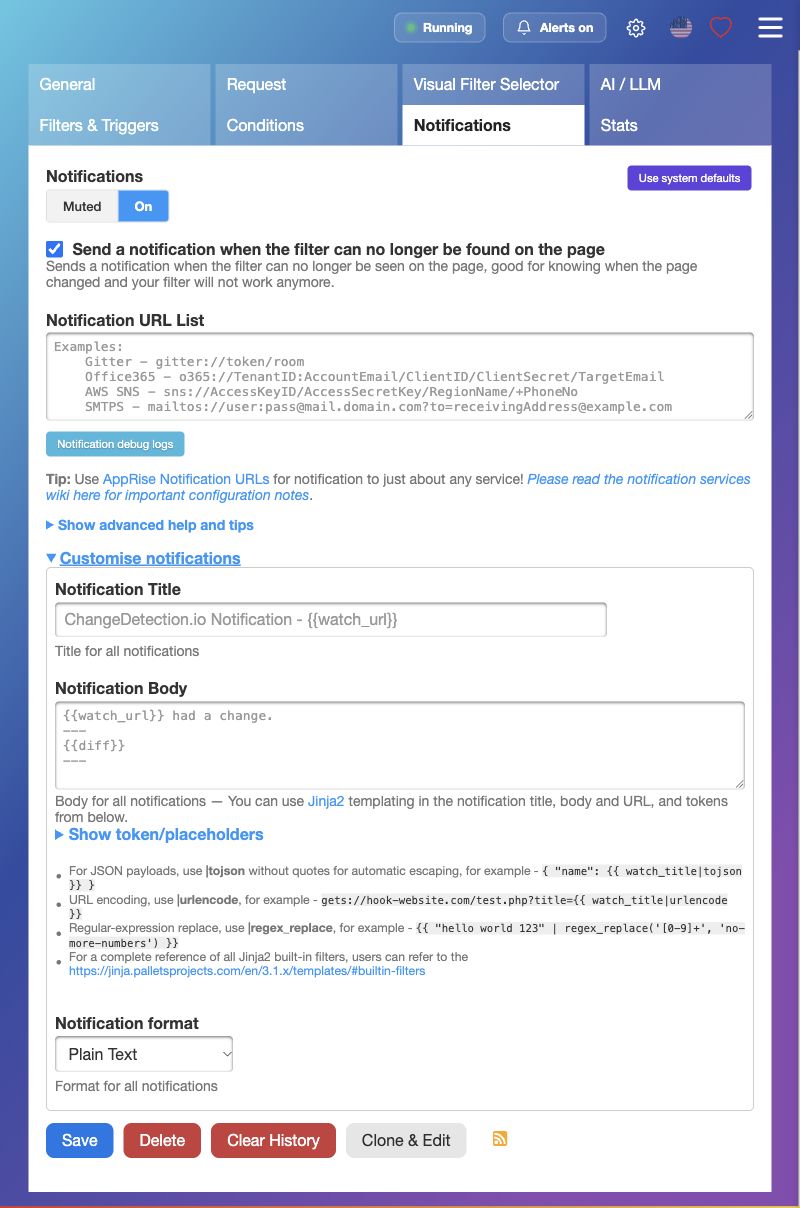
Turn notifications On.
Leave Notification URL List, Title, and Body empty to inherit the group settings.
Under Customise notifications, select Plain Text, not System default.
Click Save.
5. Check your first capture
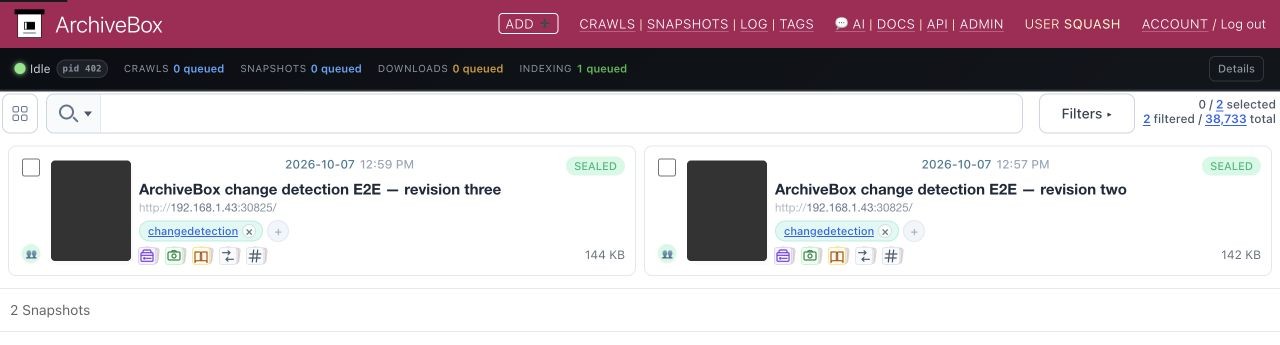
In the group’s Notifications tab, click Send test notification. This may select a watch outside the group. Find the capture in ArchiveBox under the changedetection tag and open its saved HTML or screenshot.
Troubleshooting: check changedetection.io’s Notification debug logs. Captures stuck queued? Check ArchiveBox’s background worker. A successful POST means the crawl was queued; inspect its completed outputs to confirm capture. Private pages need a separate ArchiveBox login session.
Containers on the same host
Declare a shared network in Compose so webhook connectivity survives image upgrades and container recreation. If Changedetection’s network is named osint-stack_osint, add this to ArchiveBox’s Compose file:
services:
  archivebox:
    networks:
      - default
      - osint

networks:
  osint:
    external: true
    name: osint-stack_osint
Keep the rest of the service configuration and use json://archivebox:5797/api/v1/cli/add?+X-ArchiveBox-API-Key=YOUR_API_KEY. The API key is still required. Use a network shared only with trusted services; container networks are not equivalent to a private loopback connection. Plain HTTP is appropriate only when that network is trusted.
docker network connect alone does not persist across container recreation. After docker compose up -d, send another test notification and check the new crawl.
Cloudflare: choose the shortest connection
If Changedetection and ArchiveBox share a trusted Docker network, use the internal URL above for notifications. Your browser can still use Cloudflare Access on the public hostname. This removes Cloudflare credentials and edge challenges from the webhook connection while keeping ArchiveBox API authentication.
For separate hosts, use the public HTTPS hostname and the following setup. These instructions assume a build with the JSON-envelope support described above.
For our actual multi-hostname production layout, use the redacted Cloudflare Tunnel example, including certificate creation, DNS routing, and isolated JavaScript replay. The simpler single-hostname alternative follows below.
1. Connect the public hostname
For a new deployment, a Cloudflare Tunnel can publish archive.example.org with origin service http://archivebox:5797 when cloudflared shares ArchiveBox’s Docker network. Inside the connector container, localhost refers to that container; use the ArchiveBox service name. Cloudflare supplies public HTTPS; this setup needs no separate Caddy certificate configuration. Use HTTP for the origin leg only on a trusted network. An existing working HTTPS reverse proxy can remain in place.
Set these ArchiveBox environment variables and recreate its container:
BASE_URL: https://archive.example.org
SERVER_SECURITY_MODE: safe-onedomain-nojsreplay
This is the simple single-hostname setup: archived JavaScript replay stays disabled; browser capture can still execute JavaScript. Full JavaScript replay needs the separate replay-domain and certificate setup documented under Security. Do not solve that by disabling replay isolation.
3. Paste one notification URL
Use the JSON body from step 3 above, with this notification URL:
jsons://archive.example.org/api/v1/cli/add?redirect=no&+X-ArchiveBox-API-Key=ARCHIVEBOX_KEY&+CF-Access-Client-Id=CLIENT_ID&+CF-Access-Client-Secret=CLIENT_SECRET
Replace the hostname and all three credential values. Percent-encode each value, keeping the literal + header prefixes and & separators shown here. Treat the resulting URL as a secret. Apprise’s JSON notifier supports these custom headers; redirect=no makes an unexpected login redirect fail visibly instead of following it. Keep normal ArchiveBox login enabled; Access does not require enabling ArchiveBox remote-user authentication.
4. Test each authentication layer
From the machine or container sending notifications, set ARCHIVEBOX_API_KEY, CF_ACCESS_CLIENT_ID, and CF_ACCESS_CLIENT_SECRET in your shell, then run this read-only request with your actual hostname:
curl --silent --show-error --max-time 15 --dump-header - \
  --header "X-ArchiveBox-API-Key: ${ARCHIVEBOX_API_KEY:?Set ARCHIVEBOX_API_KEY}" \
  --header "CF-Access-Client-Id: ${CF_ACCESS_CLIENT_ID:?Set CF_ACCESS_CLIENT_ID}" \
  --header "CF-Access-Client-Secret: ${CF_ACCESS_CLIENT_SECRET:?Set CF_ACCESS_CLIENT_SECRET}" \
  https://archive.example.org/api/v1/core/tags
Expect HTTP 200 and an ArchiveBox JSON tag list. This reads existing tags and does not enqueue a capture. Do not add --location: a redirect is useful diagnostic evidence. An HTML login page is not API success. Then send a Changedetection test notification and inspect the completed capture as described above.
Response |
Check next |
|---|---|
Redirect to |
Service Auth policy, token expiry, and both outgoing service-token headers |
|
Cloudflare challenge rules and the matching Security Event |
ArchiveBox JSON authentication error |
ArchiveBox API key and its superuser owner |
ArchiveBox JSON validation error (422) on the add endpoint |
Notification JSON body and ArchiveBox version |
Tunnel/origin connection error (often 502) |
Connector network, service hostname, and ArchiveBox listening port |
A 403 alone does not identify the failing layer. Access service authentication and WAF/bot challenges are separate checks. Cloudflare marks challenge responses with cf-mitigated: challenge; inspect the matched rule before making a narrowly scoped adjustment. Changing Django authentication backends cannot fix an edge challenge.
For private investigations, see OSINT preservation before submitting target URLs.
More: changedetection.io’s notifications and filters.
The original raw POST walkthrough was tested with changedetection.io 0.60.7 and ArchiveBox 0.9.74rc16. JSON-envelope handling is covered by live Apprise 2.0.1 → ArchiveBox API → saved-capture tests, including encoded header prefixes.